
Start by verifying your mobile number. This step is crucial to ensure that all further communications are secure and reach you directly. You will receive a One-Time Password (OTP) on your registered mobile number, which you’ll need to enter to proceed.
Next, you will need to complete the enrollment process. This involves providing your personal and organizational details, depending on the type of DSC you’re applying for. Ensure that all information is accurate and complete to avoid delays in processing.
To further secure your application, we require email and video verifications. You will receive an email with a verification link—click on it to confirm your email address. Following that, you will be guided through a video verification process where you may be asked to record a short video to verify your identity visually.
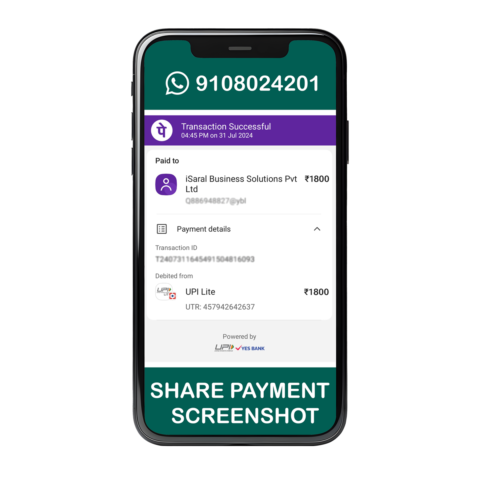
Once your mobile, email, and video verifications are complete, it’s time to make the payment for your Digital Signature Certificate (DSC). We offer multiple secure payment options for your convenience. After the payment is processed, your application will move to the final stage.
After completing all the above steps, your Digital Signature Certificate (DSC) will be issued. We will notify you once it’s ready, and you’ll receive instructions on how to download and install your DSC on your device.
At iSaral Business Solutions, we’ve made acquiring your DSC as seamless as possible. With our step-by-step guidance and best support, you’ll have your Digital Signature Certificate in no time, ready to use for all your electronic transactions and digital document signing needs. Join the thousands of satisfied customers who trust us for their DSC needs.
| Documents Name | Proprietorship | Partnership | Pvt Ltd/Ltd Company | LLP | AOP/BOI | NGO/Trust | |||
|---|---|---|---|---|---|---|---|---|---|
| Applicant Photo | ![]() |
![]() |
![]() |
![]() |
![]() |
![]() |
|||
| Copy of Applicant PAN Card | ![]() |
![]() |
![]() |
![]() |
![]() |
![]() |
|||
| GST Certificate | ![]() |
![]() |
![]() |
![]() |
![]() |
![]() |
|||
| Copy of Recent Bank Statement / Bank Certificate, If GST Certificate Not Available |
![]() |
![]() |
![]() |
![]() |
![]() |
![]() |
|||
| Copy of Organizational PAN Card, If GST Certificate Not Available |
![]() |
![]() |
![]() |
![]() |
![]() |
||||
| Copy of Business Registration Certificate (S&E / etc) If GST Certificate Not Available |
![]() |
||||||||
| Copy of Partnership deed containing list of Partners / Authorization Letter
If an Authorized signatory is not a director, the Board Resolution with an authorization letter |
![]() |
||||||||
| Authorized Signatory ID Proof (Organizational ID Card / PAN Card / etc) | If Applicant is not proprietor |
![]() |
![]() |
![]() |
![]() |
![]() |
|||
| Proof of Authorized Signatory (List of Directors / Board Resolution / Resolution) | ![]() |
![]() |
![]() |
![]() |
|||||
| Copy of Incorporation Certificate, If GST Certificate Not Available |
![]() |
![]() |
![]() |
![]() |
|||||
| Note : Mail id & Mobile Number is Mandatory | |||||||||
Signing: In simple terms Signing Digital signature, is used to sign the documents.
Encryption: Encryption is used to encode sensitive information documents, It Converts plaintext data into ciphertext (unreadable Format) using an encryption algorithm and a key. The ciphertext can only be decrypted by the authorised recipient by using the corresponding decryption key
In summary, encryption is used to secure data and keep it confidential during transmission,
By combining both signing and encryption, data can be protected (meeting important goals like confidentiality, integrity, authenticity, and non-repudiation)
USB Tokens used to store the DSC & It is password protected. As per the CCA Guidelines, it is mandatory to download DSC in FIPS certified Tokens only. You need to insert the USB Tokens to your computer while using it. There are 2 Types of tokens in the market(Popular USB Tokens)
A Digital Signature Certificate (DSC) is a secure digital key that validates your identity online. It’s essential for ensuring the authenticity and integrity of your electronic transactions and documents. DSCs are used in various applications, including: